
SERPngin→ SEO blog
Disallow: how to properly close pages in robots.txt
DirectiveDisallowcontrols crawling of the site by robots. It saves crawling budget on search, cart and technical URLs, but one wrong line can shut down useful pages. Let's look at the safe approach: what to prohibit, how to check the result, and in what cases robots.txt is not suitable at all.
What Disallow does and what you shouldn't expect from it
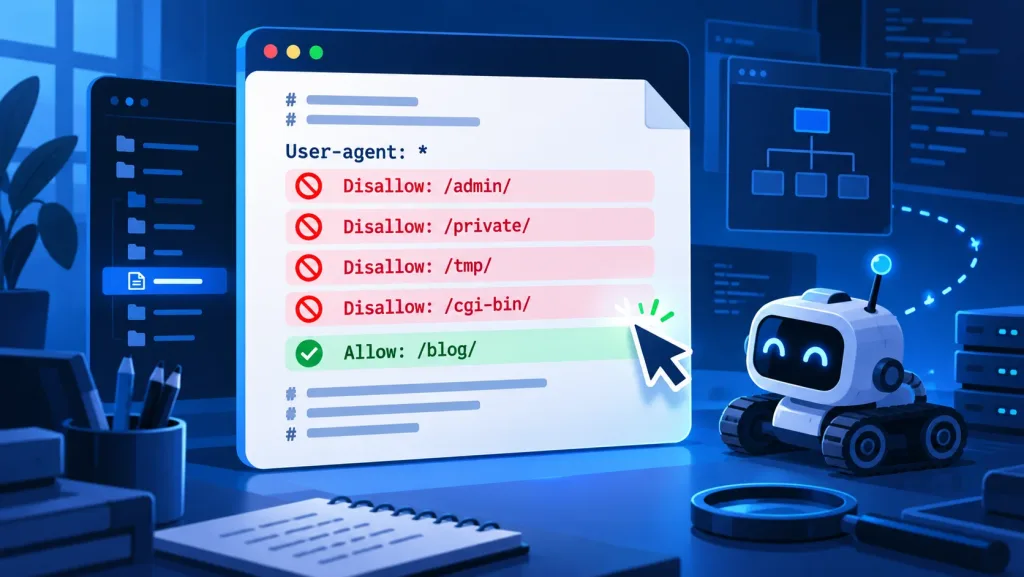
robots.txt- a text file in the root of the site, for examplehttps://site.ru/robots.txt. In the block, the robot is first named afterUser-agent, and then list the paths. RecordDisallow: /admin/asks the crawler not to download all URLs starting with/admin/. This makes it convenient to exclude sections that do not provide search value, generate a lot of service addresses, or create unnecessary load.
The main limitation: prohibiting crawling does not guarantee that the URL will disappear from searches. Google separately warns: a closed robots.txt address can still be found via external links and appear in search results without the full content. If a page needs to be removed from the index, but left accessible to the robot, usenoindex. If you need to hide personal data, use authorization, 401/403 and restrictions on the server. The robot will not read meta robots inside a page that you have already blocked from crawling.
Common candidates for closure: internal search results, shopping cart, checkout, personal account, test folders, service actions and endless combinations of filters. But the finished list cannot be copied blindly. For example, closing/catalog/, the store is easily deprived of crawling categories and product cards.
Syntax: path, slash, mask and exception
Disallow specifies the path after the domain. The leading slash is important:Disallow: /search/refers to the section of the site. Empty stringDisallow:nothing is prohibited. The comment begins with the sign#. Yandex and Google understand*like any sequence of characters, and$- as the end of the address. The more complex the mask, the more mandatory the test on real URLs.
| Rule | How to read | When appropriate |
|---|---|---|
Disallow: /admin/ | Do not bypass folder or sub-URLs. | Admin panel, office, test section. |
Disallow: /search/ | Don't bypass internal search. | SERPs create low-value URLs. |
Disallow: /*?sort= | Do not bypass sorting with parameter. | After checking all SEO landing pages. |
Disallow: /*.pdf$ | Don't bypass URLs ending in PDF. | Only if the documents are not needed in the search. |
Allow: /catalog/guide/ | Exception to the general prohibition. | Useful subsection inside the closed path. |
When crossing rules, specificity is important: the longer match usually wins. Yandex indicates that if the length of conflicting rules is equal, preference is given toAllow. Therefore, do not create overlapping masks and check for exceptions. BunchDisallow: /catalog/AndAllow: /catalog/guide/is valid, but must be confirmed on all important URLs.
User-agent: *
Disallow: /search/
Disallow: /cart/
Disallow: /account/
Allow: /catalog/guide/
Sitemap: https://example.com/sitemap.xml
Which pages to close: examples and tips
Don't start with someone else's robots.txt, but with a URL map. Unload pages from the crawler, look at indexing reports and server logs. Find groups that arise automatically: search, sorting, sessions, printed versions, technical activities. For each group, ask: does the search person need it? If not, does the robot need to see canonical or noindex on it? The answer is determined by the tool.
| URL type | The usual solution | Risk |
|---|---|---|
| Internal search | Disallow: /search/ | Check that beneficial landings do not use this path. |
| Cart and checkout | Disallow + session protection | Do not block adjacent product pages. |
| Catalog filters | Optional: canonical, noindex or Disallow | The global parameter mask will cover valuable landings. |
| PDF instructions | Leave open or Disallow | Documents can drive targeted traffic. |
| Personal account | Authorization; Disallow if necessary | Robots.txt itself does not hide data. |
If the file needs to be built from scratch, useAI generator robots.txt SERPngin. He will prepare a conservative basis; then be sure to match each line with the structure of your site specifically.
Disallow, noindex, canonical and authorization: what to choose
These mechanisms solve different problems. An inappropriate choice leads to a familiar situation: the page is “closed”, but it is still shown in the search results, or the robot does not see canonical and continues to take into account duplicates.
| Task | Approach | Does the robot see the URL? | Result |
|---|---|---|---|
| Reduce crawling load | Disallow | Not if the rule is followed. | The crawler does not download the specified path. |
| Remove available page from search | noindexin meta or X-Robots-Tag | Yes. | The URL is excluded after processing. |
| Merge duplicates | rel=canonical | Yes. | The preferred version is indicated. |
| Hide private data | Authorization, 401/403 | No without access. | Content is not shared with third parties. |
| Remove URL permanently | 404/410 or 301 replacement | Yes. | The search engine receives the correct signal. |
It is especially dangerous to set Disallow and noindex at the same time. To read the meta tag or HTTP header, the robot must open the page. First let it handle noindex and wait for the URL exception, and only then, if you need to save crawling, add a ban.
Five mistakes and a checklist before publication
First mistake -Disallow: /in the general block.It covers the entire site and is only allowed at a temporary stand.The second is to treat robots.txt as a password.The file is public.The third is to forget the boundaries of the rule.Check whether the mask affects exactly the desired group of URLs.The fourth is to close CSS, JavaScript and images for no reason.The robot may need resources for rendering.Fifth, do not check the file response.robots.txt must be at the root of the domain and return HTTP 200.
- Save the current robots.txt and the list of URLs that must remain accessible.
- For each Disallow, write down the reason: duplicates, search, utility function, or load.
- Check the rules on the main page, categories, cards, articles, pagination and sitemap.xml.
- Do not block URLs with noindex before the robot has time to see this signal.
- After publishing, monitor the crawl and indexing reports, not just the file text.
A competent robots.txt is not a long list of prohibitions, but an exact map of where the robot does not need to go. The clearer the URL structure and the purpose of each directive, the lower the risk of losing organic traffic because of one line.